AuthorScout vs Book Bolt: Research Before You Create
Compare the work of validating a book opportunity with designing its cover and interior, so you can choose a publishing workflow that fits.
A well-designed activity book can still struggle if its subject, audience, or positioning is unclear. Equally, a promising niche needs a thoughtful production process. AuthorScout vs Book Bolt is useful because both research and creation matter.
AuthorScout helps you discover and investigate books, research through MCP, and use the separate Book Creator for guided creation in ChatGPT. Book Bolt combines research with its visual book-design and creation tools. Compare the evidence you need before production and the type of creation workflow you want afterward.
The practical difference
| Your decision | AuthorScout | Book Bolt |
|---|---|---|
| First job | Find and investigate book opportunities | Research and create books |
| Creation approach | Guided Book Creator in ChatGPT | Studio for covers, interiors and puzzles |
| Research follow-through | Book history, categories and tracking | Research alongside a design workflow |
| AI and creation workflow | Research MCP plus separate guided Book Creator | Book Bolt Studio and AI-assisted creation |
Where Book Bolt’s creation tools matter
Book Bolt’s official website describes product and keyword research alongside cover design, interior generators, and puzzle creation. Book Bolt Studio is the production part of that offering.
For an author making journals, puzzle books, or activity books, design and formatting are real work. A creation tool can be useful when it fits your book’s requirements. That value is separate from the question of whether a subject has enough demand to justify entering it. Compare the research and production tasks separately before choosing a subscription.
Validate the subject before building the interior
Suppose you want to make a gardening activity book. You could begin by choosing a template, or first ask whether there is evidence of readers buying comparable independently published books. AuthorScout supports that earlier research step.
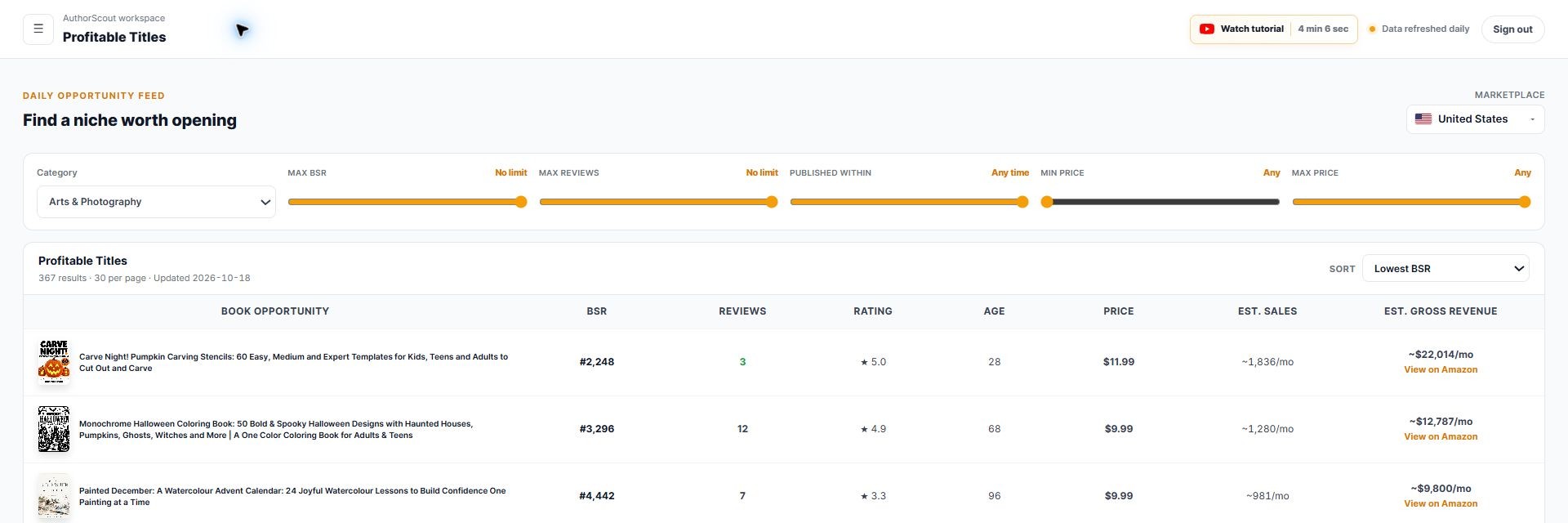
Open Profitable Titles, select an available marketplace, and explore the relevant niche. Narrow the feed by publication age, reviews, rank, and price. Look for newer independent titles showing sales activity while still having relatively few reviews.
- Study several recent examples so your idea is not based on one exceptional listing.
- Use Top Performing to prioritize the books you want to investigate.
- Use Title Search to test related subjects within the discovery database.
- Read the actual listings and books where appropriate to understand the audience and how your concept would differ.
The gain is a clearer starting list. Instead of opening Amazon listings just to collect the same basic information, you can move more quickly to the books that deserve qualitative research.
Check durability, then choose a category
An appealing rank today does not tell you whether an activity book sells throughout the year. In Book Deep-Dive, examine the available BSR, price, review-count, and rating history. A seasonal pattern may suit your publishing schedule, but it should be a deliberate choice.
Category Search helps relate your proposed title or description to relevant category paths. Category Explorer lets you investigate demand and competition signals across the category tree. Together, they help you avoid designing for a vaguely defined audience.
Next, add the closest competitors to Book Tracker. Follow daily snapshots while you refine the activity difficulty, age range, page structure, and original content. The tool supplies market observations; you still make the editorial decisions that make the book worth buying.
Research beyond a single Amazon store
AuthorScout’s discovery system covers seven marketplaces: the US, UK, Germany, France, Canada, Spain, and Italy, with plan-dependent access. You can investigate available niches in each supported discovery market without reconstructing the same collection process.
When you want to compare a particular book, BSR Across Marketplaces checks its available ranks across supported stores from one ASIN and one action. That gives you a starting point for international research. It does not mean that translating a title automatically creates demand or that identical ranks represent identical sales.
- Trademark Checker: screen your proposed title phrase against US and EU records.
- Chrome extension: review book evidence while browsing Amazon, including available edition and audiobook signals.
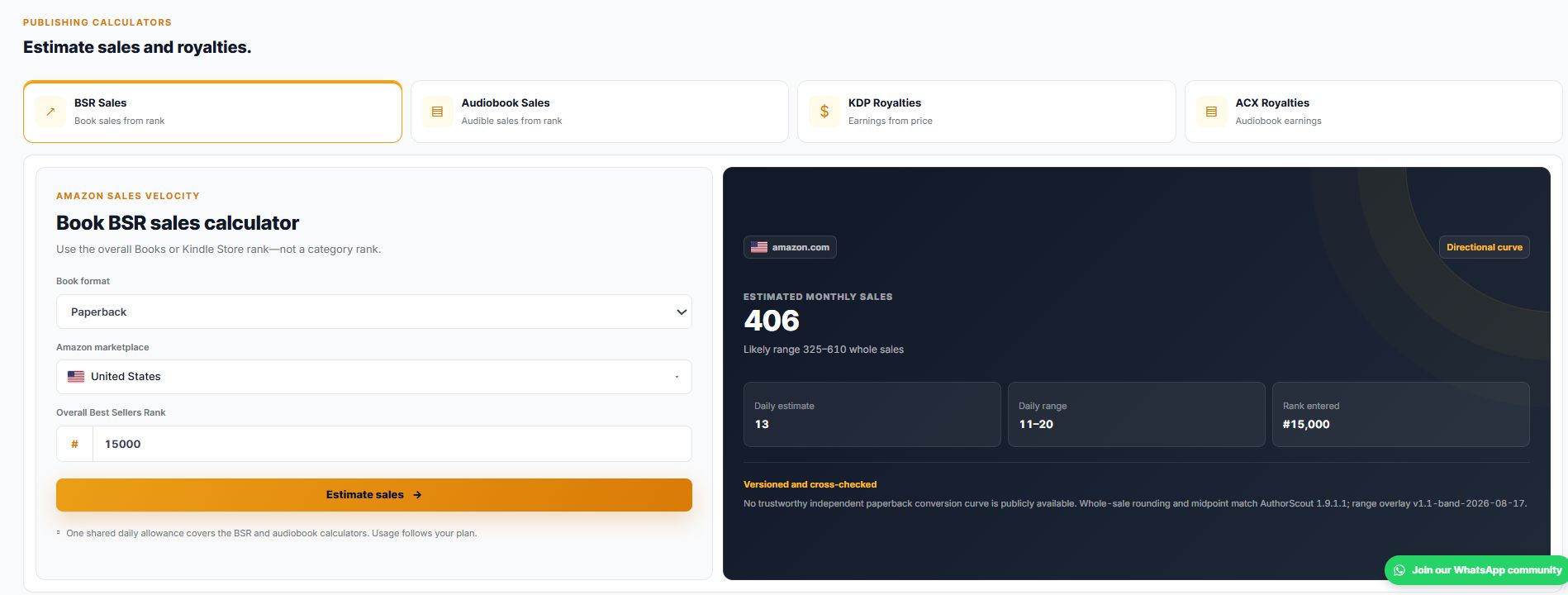
- Publishing calculators: explore sales and royalty scenarios before choosing a price.
- MCP connection: run supported research in a compatible AI assistant and examine the returned evidence.
These are useful checks before production spending. Sales estimates are not profit figures, and trademark screening does not replace a legal assessment when one is needed.
From research to creation with MCP and Book Creator
AuthorScout MCP connects supported research tools to a compatible AI assistant. For example, ask: “Using AuthorScout, find cookbooks with fewer than 50 reviews, then help me investigate the strongest candidates.” Inspect the returned book evidence, compare the candidates, and decide what deserves a deeper check.
- One research account: MCP access is included with active Pro access, using your existing allowances.
- Conversational research: ask follow-up questions about the evidence instead of copying information between tabs.
- Control over tracking: confirm additions or removals from Book Tracker and disconnect the assistant when needed.
AuthorScout Book Creator adds a separate, guided creation workflow in ChatGPT. It walks through a supported book type one step at a time; coloring books are the first documented format. You can develop a page plan, front matter, age-appropriate illustration prompts and images, a cover illustration, layout guidance, and a draft listing with the assistant. Check the current book-type catalog before starting.
Book Creator does not require an AuthorScout account. It is separate from the research MCP connection: you bring your validated audience and brief into the creation conversation, review the output, prepare your files, and publish through KDP yourself. That makes research useful at the production stage without treating AI output as a finished, checked book.
Choose a tool for the next job on your list
Start with AuthorScout when you need to decide which book opportunity deserves production work. Evaluate Book Bolt when cover, interior, or puzzle creation is a substantial part of the job. AuthorScout Book Creator offers another route for supported formats when you prefer step-by-step guidance in ChatGPT. Compare that guided process with the visual editing controls you need in a design studio.
A practical sequence is to research a niche, write a clear reader brief, validate the category and comparable books, then select the production workflow. Avoid letting the availability of a template become the reason for choosing a market.
Check AuthorScout’s current plans and Book Bolt’s current offer against your needs. You can also follow the AuthorScout research walkthrough using a subject you already know. A good tool should help you make a more informed publishing decision before you commit to the finished book.
Sources and scope
Written by AuthorScout. Competitor features checked against official product information on October 18, 2026. This compares documented workflows; it is not an independent performance benchmark. Plans, access, and coverage can change. Screenshots show examples from AuthorScout, not promised sales results.
Put your next book idea through the research.
Explore the evidence, develop your brief, and choose your publishing workflow.
Start with AuthorScout →