
Give your book more relevant options
Compare up to 20 relevant categories for each book format.
Find relevant Kindle and paperback categories. Compare fit, competition, and ranking targets.
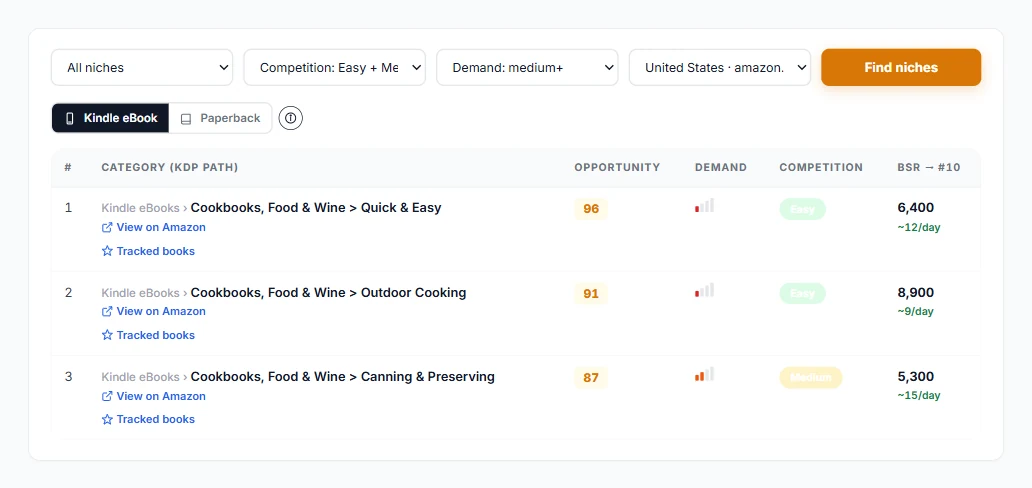
Here's how Category Research fits into your research.
Enter your title and subtitle, or a short description. Include the topic and intended readers so the matches have useful context.
Review Kindle and paperback matches. Look at the category path, fit, competition, and available ranking targets.
Sort by best fit or filter by competition across all matches. Explore related paths before selecting categories that describe your book.
Compare up to 20 relevant categories for each book format.
Review available BSR targets for positions 1, 10, and 50.
Browse related categories by demand and competition.
Choose the Amazon marketplace you plan to publish in. Category paths and competition can differ between stores and formats.
Compare both book formats. Available BISAC codes provide the publishing subject classifications associated with a match.
Yes, when you have one. A subtitle often explains the subject, audience, or benefit more clearly than the main title alone.
No. Twenty is the maximum per format. A more specific book may have fewer relevant matches.
No. Sorting and competition filters apply across the complete set of returned matches. Results are then shown ten at a time.
No. Choose a category that accurately describes your book. Competition and ranking targets are research signals, not promises of rank or sales.
Explore AuthorScout and find the tools that fit your publishing plans.