
Spot demand before reviews pile up
Compare newer books with few reviews to find early signs of demand.
Find books with strong sales signals and fewer reviews. Compare niches and build your shortlist.
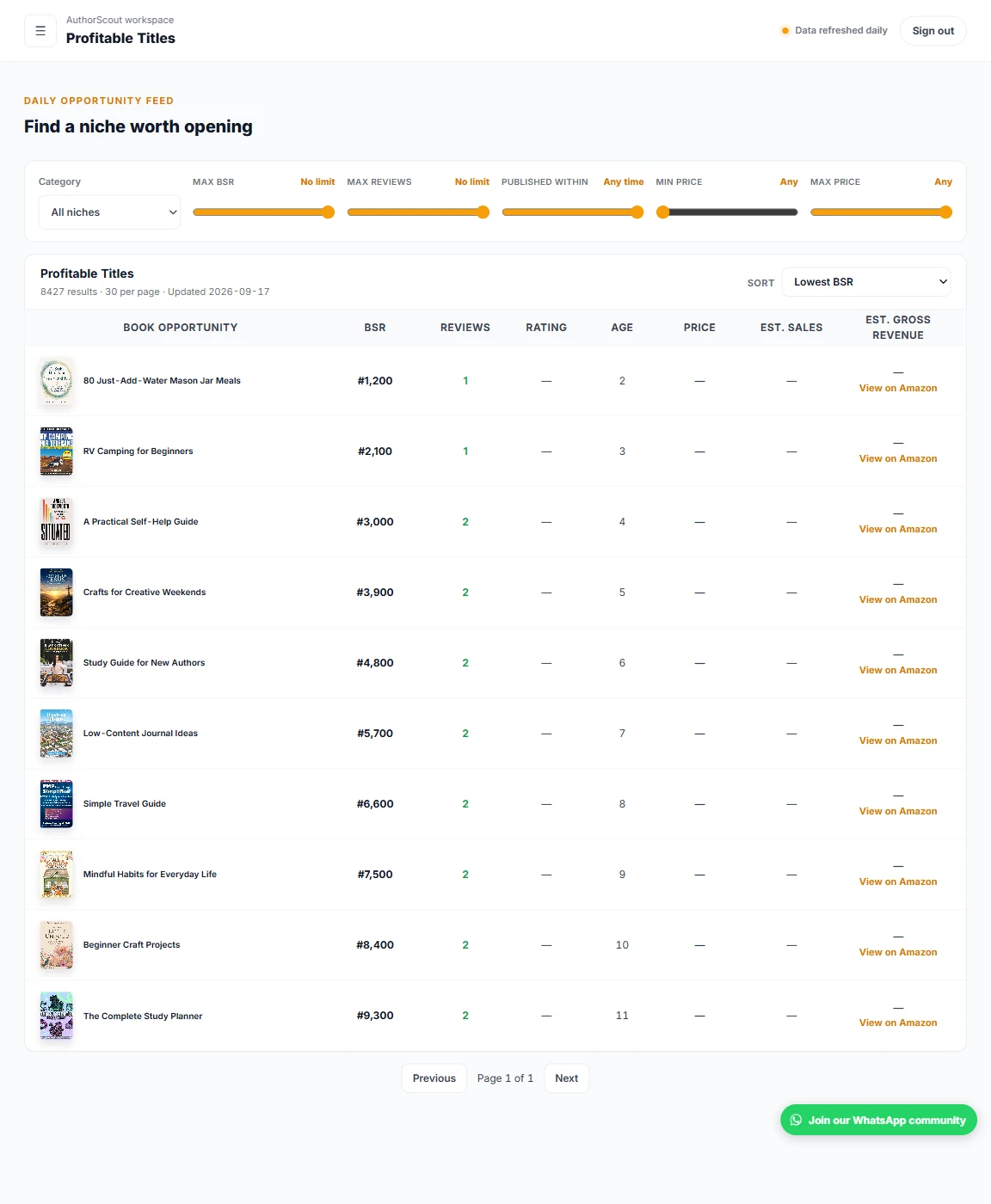
Here's how Profitable Titles fits into your research.
Pick an Amazon marketplace and the type of books you want to explore.
Filter by reviews, publication age, price, or Best Sellers Rank (BSR), Amazon's sales-rank measure.
Open the books that interest you. Look at their history and competing titles before deciding what to publish.
Compare newer books with few reviews to find early signs of demand.
Sort by revenue estimates, rank, reviews, rating, or age.
Find titles by keyword, then filter the results for your niche.
Browse the US, UK, Germany, and four other marketplaces with Pro.
Browse the saved catalogue without a monthly browsing quota. Sales and revenue figures are estimates to help you compare books.
No. The results help you spot demand and compare competition. Your topic, quality, positioning, and launch still matter.
Best Sellers Rank is Amazon's sales-rank measure. A lower number generally means stronger sales within the same store and ranking list. It changes over time, so check a book's history too.
Title Search finds words in our book catalogue. Keyword Research helps you find related search phrases and compare available estimates of how often readers search for them.
Explore AuthorScout and find the tools that fit your publishing plans.