
Track BSR over time
A single rank is a snapshot, and rank moves daily. History shows whether a book is climbing, slipping, or holding steady.
Amazon book tracker for KDP competitor tracking. Add an ASIN to track BSR, price and reviews, with the book's all-time history the moment you add it.
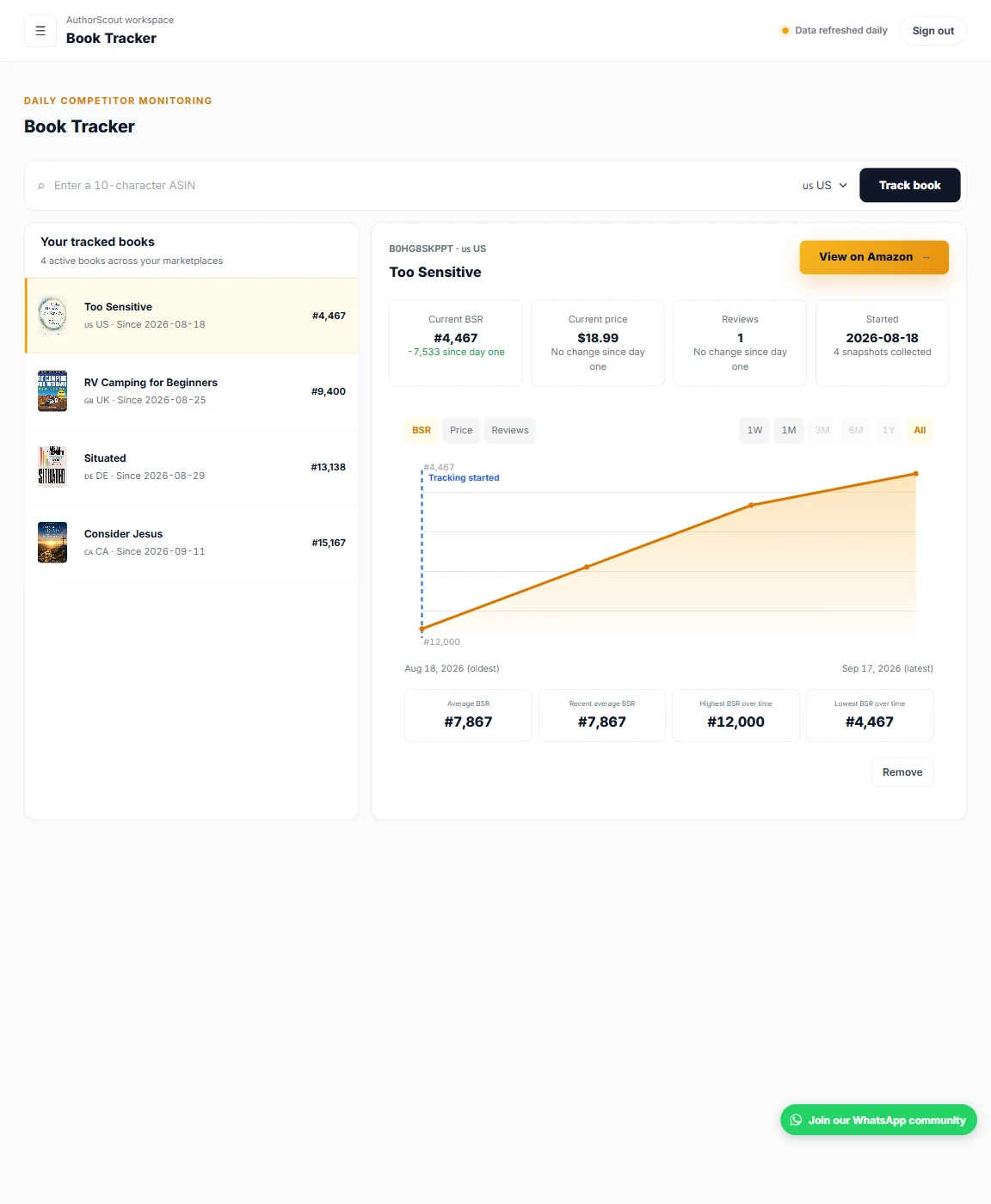
Here's how Book Tracker fits into your research.
Copy the 10-character ASIN from the book's Amazon listing, enter it, and choose the Amazon marketplace you want to follow.
The moment you add a book, you get its BSR history for all time, along with its price and review history. Daily snapshots then keep it up to date.
Open your tracked book list to see each book's current BSR, then use the history chart to see whether it is climbing, slipping, or holding steady.
A single rank is a snapshot, and rank moves daily. History shows whether a book is climbing, slipping, or holding steady.
Daily competitor monitoring means you do not have to reopen the listing and write the numbers down yourself.
View the chart over 1 week, 1 month, 3 months, 6 months, 1 year, or all time.
Book Tracker is for Pro and Publisher Pro members who want to follow a few specific books over time instead of checking listings by hand. It suits anyone studying a niche, watching a competitor, or keeping an eye on a book they might model their own on.
It is most useful once you have a shortlist. Profitable Titles and Book Analysis help you find and inspect books. Book Tracker is where you keep the handful that matter, so their history sits in one list. It is not available on the Free plan.
Start with the longest range, then zoom in. A newly added book shows its BSR, price and review history for all time, so the all-time view tells you whether demand has been steady, has grown, or came from one short burst. The shorter ranges then show what is happening now.
Compare ranges before you form an opinion. A rank that looks strong on the one-week view can look very different over six months. Best Sellers Rank moves daily, so a single low number tells you less than a pattern that holds across weeks.
Read price and reviews alongside the rank. If the rank improved when the price changed, or when reviews started to climb, that is worth noting. Be careful about assigning a cause, though. Many things can move a rank, and a chart shows that something changed, not why it changed.
With 15 slots on Pro and 30 on Publisher Pro, choose books that answer a question. Good candidates are a book that closely matches the one you plan to publish, a recent title with few reviews that is selling, and an established book that sets the standard in your niche.
Track the same kind of book in the marketplace you actually plan to sell in, since you choose the store when you add it. Add the ASIN of the edition you care about, because a Kindle edition and a paperback can behave differently.
Write down why you added each book. A short note such as "newer book, low reviews, check if rank holds" saves you from staring at a list later and wondering what you were looking for.
Book Tracker does not send alerts. It will not email you or notify you when a rank jumps or a price drops, so you need to open the list and look. Many publishers do this on a regular day each week and compare against the previous check.
It also does not draw an estimated-sales line. You get BSR, price and review history. If you want a sales estimate for a particular rank, use the BSR calculator or Book Analysis, and remember that those figures are estimates, not a publisher's real numbers.
Finally, tracking a competitor tells you what their numbers are doing. It does not tell you why, and it does not predict what your own book will do.
Book Tracker is not on the Free plan. Pro tracks up to 15 books. Publisher Pro tracks up to 30 books.
History covers sales rank, price, and review count. You choose the Amazon marketplace when you add the book.
When you add a book, you get its BSR history for all time, plus its price and review history. Daily snapshots then keep it current.
You can view the chart over 1 week, 1 month, 3 months, 6 months, 1 year, or all time.
Pro tracks up to 15 books and Publisher Pro tracks up to 30. Book Tracker is not available on the Free plan.
Yes. An assistant connected through AuthorScout MCP can also use tracking, within your plan's limits.
Explore AuthorScout and find the tools that fit your publishing plans.
